CASE STUDY — IN-HOUSE PRODUCT
ilmiochatbot: an AI chatbot for small business websites, from prototype to product
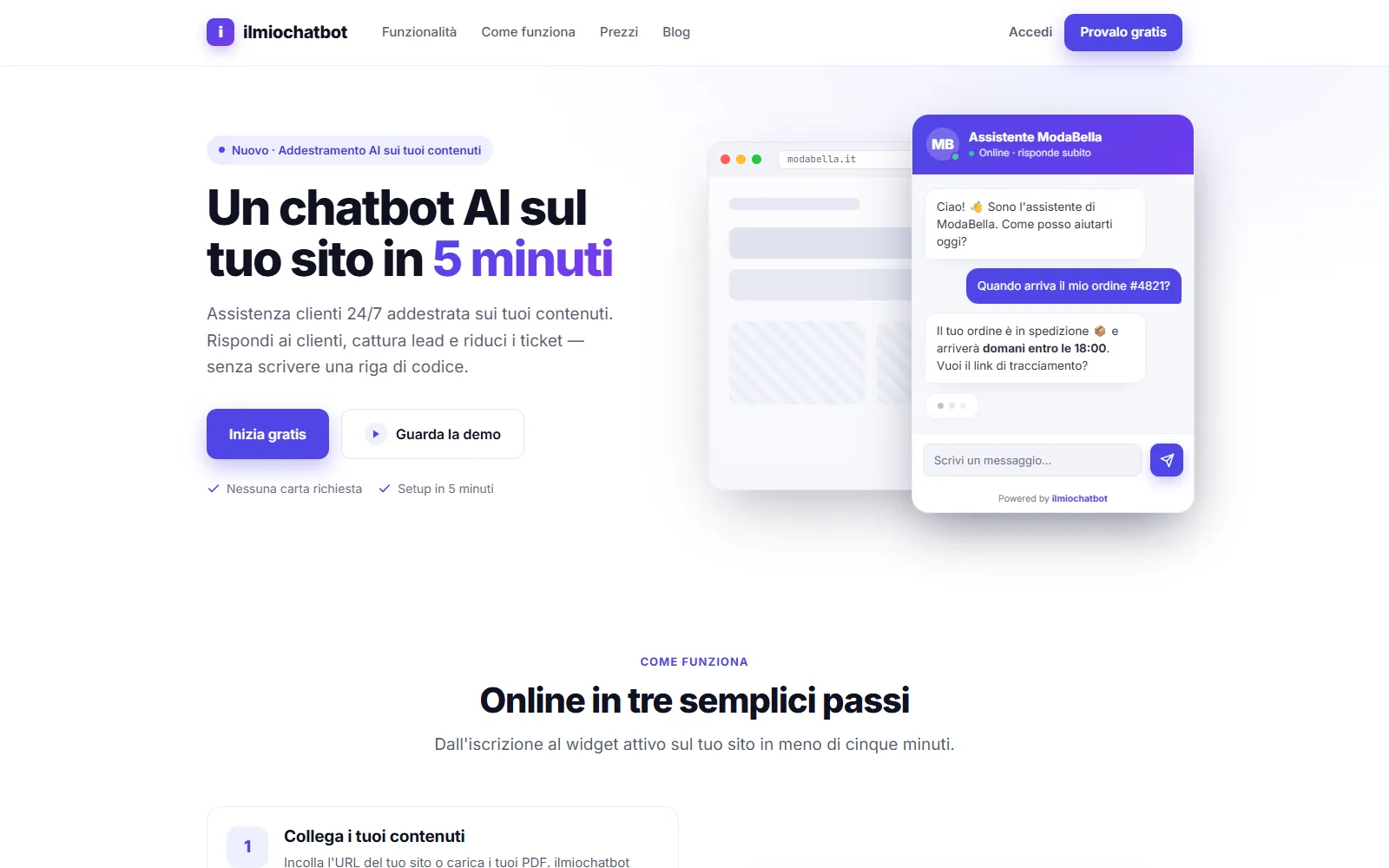
A product of our own: an AI assistant a small business can add to its website by pasting one line of code. The public site, the dashboard and the infrastructure are ready; the product is not live yet.
- Sector
- SAAS — IN-HOUSE PRODUCT
- Year
- 2026
- Technologies
- Next.js · React · TypeScript · Tailwind CSS · PostgreSQL · Playwright
The context
A small business gets the same questions every day: opening hours, shipping, returns, prices. Answering takes time, and someone who writes at ten in the evening waits until the next morning.
ilmiochatbot is the product we are building to solve this: an assistant that answers on the company's website based on its own content, collects contact details from interested visitors and hands the conversation to a person when needed. It is installed by pasting one line of code, with no developer involved. The product is in Italian, for the Italian market.
It is an in-house project: we design it, build it and will run it ourselves.
The goals
- A public website that explains the product clearly and gets found on search engines.
- A dashboard where customers set up their assistant on their own: content, appearance, installation, conversations.
- Secure sign-in from day one, because the dashboard holds conversations with our customers' customers.
- An accessible product, checked by automated tests on every change.
- An automated release that rolls back by itself if something goes wrong.
From prototype to code
It started as a clickable prototype: landing page, support pages and dashboard, used to settle flows and content before writing code.
The prototype then became a Next.js application. Colours, typography, shadows and radii are defined once, in a single place: no visual value is hard-coded in the components, so changing the palette or the typeface of the whole product means editing two files.
The dashboard
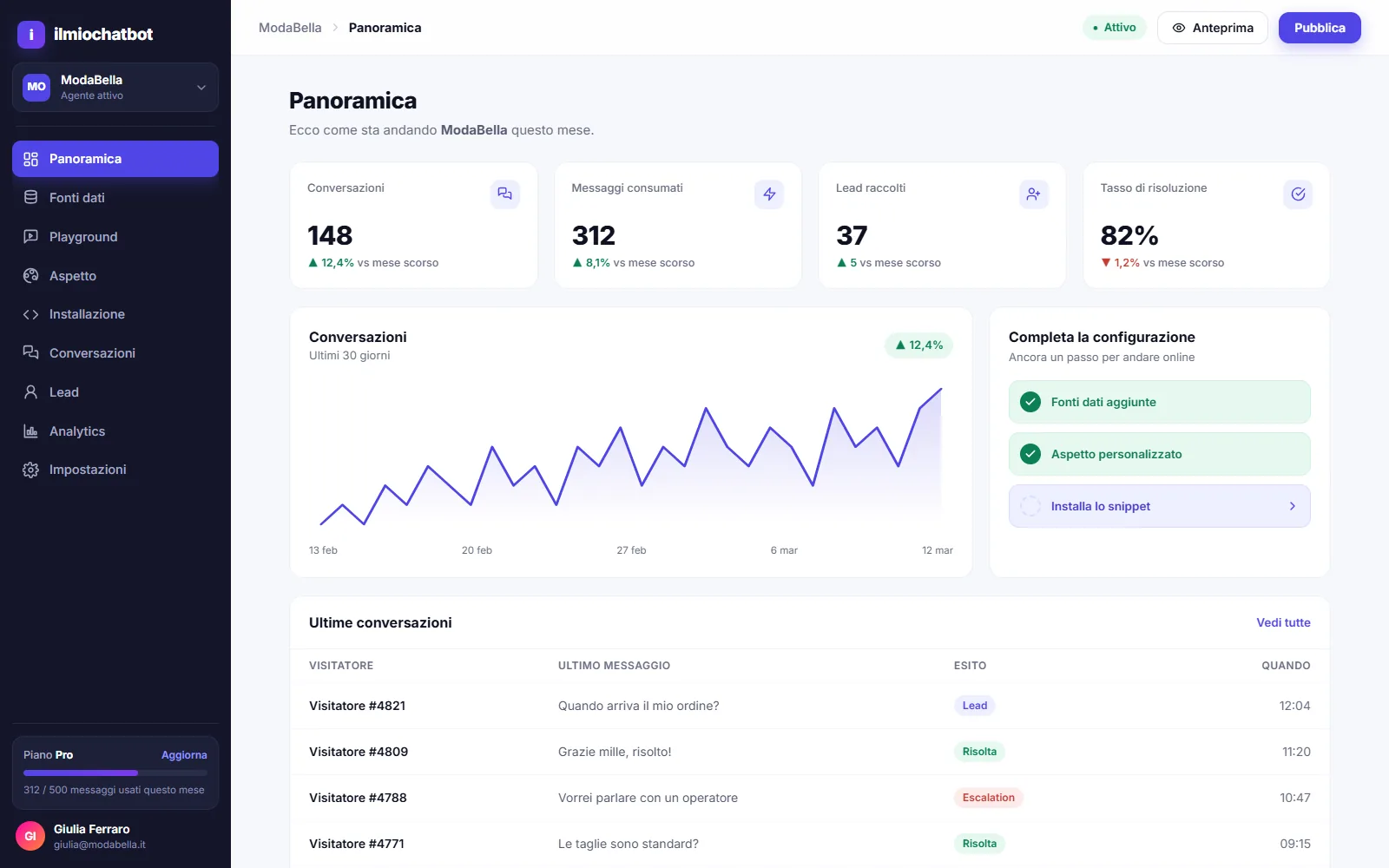
Nine screens: overview, data sources, assistant playground, appearance, installation, conversations, collected leads, analytics and settings.
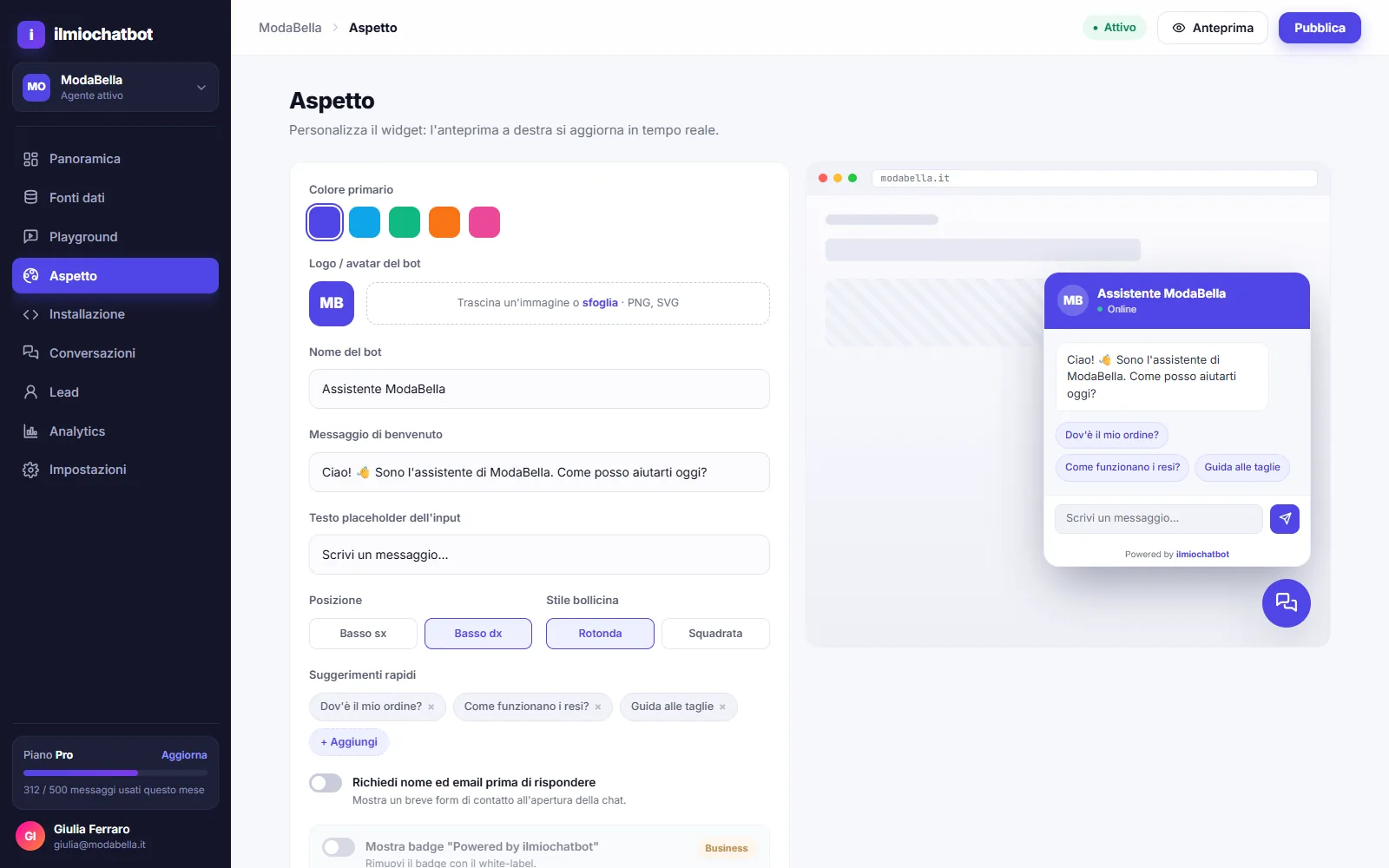
On the Appearance screen the customer picks colour, logo, name and welcome message, and sees the result in a preview that updates as they type.
In Conversations every chat can be reviewed, with the sources the assistant used for its answer and a way to flag a wrong one.
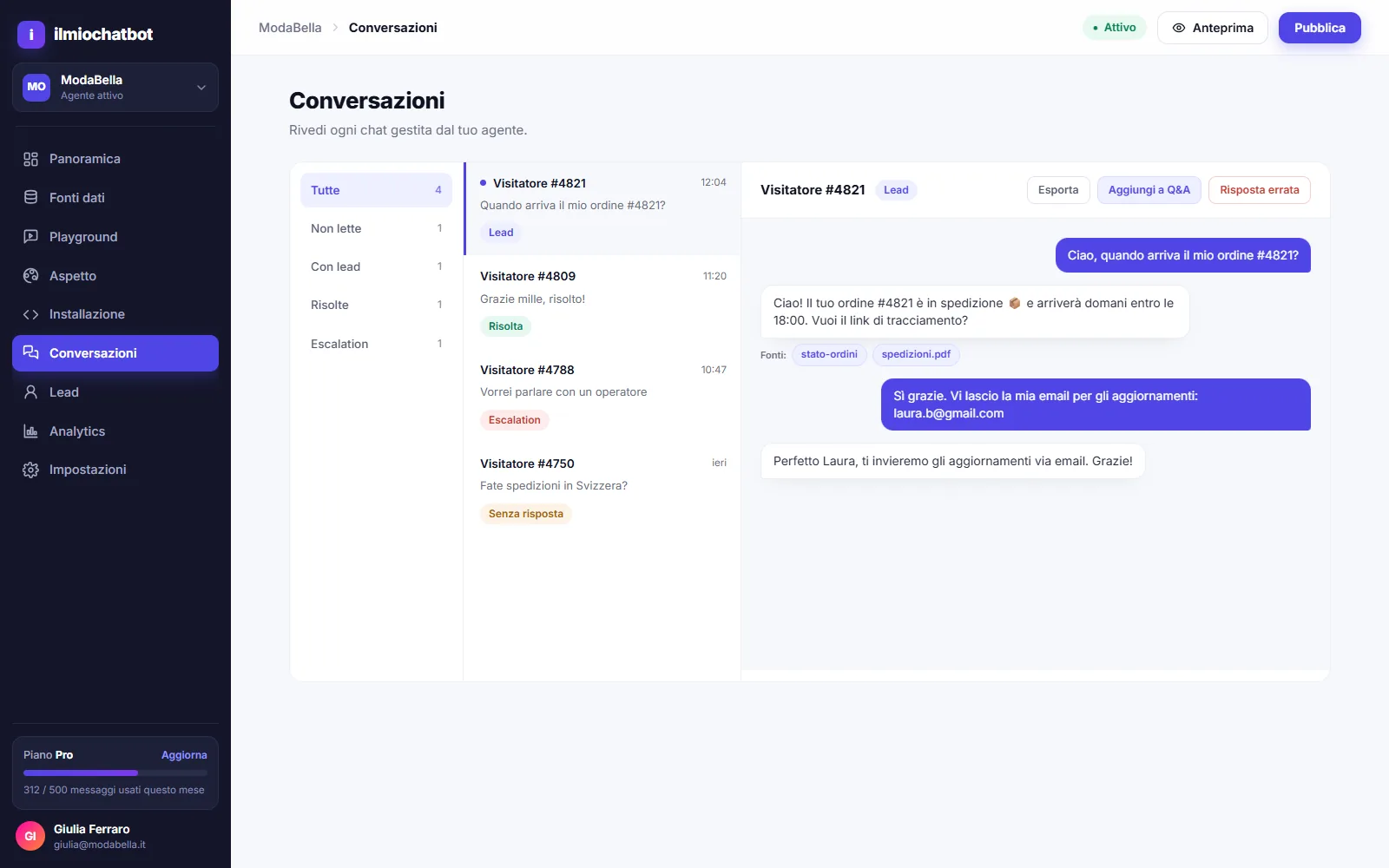
The screens above show demo data for a sample company. The interface reads its data through dedicated functions, so connecting the real service does not require touching the components.
Sign-in and security
Most of the work here was avoiding the classic mistakes:
- passwords stored as hashes, with the parameters recommended by OWASP;
- sign-in answers the same way for an unknown email and a wrong password, in timing too: it does not reveal who has an account;
- password recovery with a single-use link valid for one hour; the database holds only a fingerprint of the link, not the link;
- attempt limits per account and per IP address;
- security headers on every page, with a hand-written Content Security Policy;
- dashboard closed by default: if sign-in is not configured in production, the dashboard opens for nobody.
Privacy and accessibility
Analytics and marketing tools are not loaded until the visitor consents: they do not start in a reduced mode, they do not start at all. Declining takes one click, the same as accepting.
The palette is checked against WCAG 2.2 AA contrast requirements, every page works with a keyboard, and an automated accessibility scan runs on all public pages, on desktop and mobile. We know automated checks only find part of the problems: manual testing with a keyboard and a screen reader is still needed.
Tests and releases
- 142 automated end-to-end tests, on desktop and mobile: navigation, forms, consent, legal pages, sign-up and sign-in, the last two against a real database (last full run: 27 September 2026).
- Checks on every change: types, code quality rules and build.
- Automated release to a dedicated server: the new version is published and checked; if it does not respond, the previous one goes back online with no manual step.
The technology
Next.js 16 with React 19 and TypeScript, interface built with Tailwind CSS, PostgreSQL database, authentication with Auth.js, tests with Playwright and axe, releases with GitHub Actions.
Where we are
Public website, dashboard, sign-in, legal pages and release pipeline are complete and tested. The product is not live yet: what remains is going to production and connecting the service that generates the answers. We will update this page at launch.
If you need something similar, an AI assistant on your own content or a web app with a private area, it is the same work we do for clients.
Last updated: